
Table of contents
To remove index.php from Joomla page URLs, enable SEF URLs and URL rewriting. First prepare your web server: Apache, Nginx and IIS use different rules to handle requests.
SEF URLs and URL rewriting are different
Two separate options in Joomla Global Configuration control the appearance of URLs.
Search Engine Friendly URLs creates a readable page path. The address may still contain index.php.
Use URL Rewriting allows Joomla to generate SEF URLs without index.php. For these pages to open, the web server must pass their requests to Joomla.
For a page with the alias contacts, a simplified example is:
- SEF enabled, rewriting disabled:
https://example.com/index.php/contacts. - Both options enabled and the server configured:
https://example.com/contacts.
The actual path depends on your menus, language and routing settings. Adding an .html suffix is not necessary to remove index.php.
Internal rewriting and redirecting a visitor are different operations. A server can pass a request internally to index.php while keeping the clean address in the browser. Redirects from old addresses to new ones need a separate check.
Before you change the settings
Back up your website and any configuration files you intend to change. Save several working links: an article, a category, a menu page and a page with query parameters.
Ask your hosting provider which server handles requests. OpenServer is an environment for running websites; the rules depend on the web server selected in it. If Nginx sits in front of Apache, consider both configurations.
Test the procedure on a copy of the site. A working home page alone does not prove that internal URLs are configured correctly.
Apache: prepare .htaccess
A standard Apache setup requires mod_rewrite and permission to apply the necessary .htaccess directives in the website directory.
- Open the Joomla installation directory, which contains
index.php,configuration.phpand theadministratorfolder. - Enable hidden-file display and check whether
.htaccessexists. - If it does not, rename the
htaccess.txtsupplied with your Joomla version to.htaccess. - If
.htaccessalready exists, back it up and merge the required rules. Do not overwrite it blindly: it may contain hosting settings and existing redirects.
The filename must be exactly .htaccess, without an additional .txt extension.
With AllowOverride None, Apache ignores this file. The rewrite rules need the appropriate override permission; other directives in the standard Joomla file may require additional permissions. Your server administrator can check this.
Under a standard Apache configuration, having htaccess.txt alongside .htaccess does not prevent rewriting. Deleting htaccess.txt is not a URL repair procedure.
Nginx: configure the virtual host
Nginx does not read .htaccess. Renaming the file supplied with Joomla does not enable rewriting on this server.
For Joomla installed at the domain root, a typical configuration fragment is:
location / {
    try_files $uri $uri/ /index.php?$args;
}
Nginx first checks for an existing file or directory, then passes other requests to Joomla while retaining the query string.
This is only a configuration fragment, not a complete virtual host. The document root and PHP handling must also be correct. If a location / block already exists, adapt it to the existing rules instead of adding a duplicate.
Check the configuration with nginx -t before applying it. Reload the configuration only after a successful check. On managed hosting, use the configuration method provided by the control panel or contact support.
IIS: use web.config
IIS requires the URL Rewrite module. It uses web.config instead of .htaccess.
If web.config does not exist, rename the web.config.txt supplied with your Joomla version to web.config. If it already exists, back it up and reconcile the Joomla rules with the existing settings.
The rules must pass page requests to index.php without intercepting existing files and directories. For a subdirectory installation, account for the application scope and inherited IIS configuration.
Once IIS is ready, enable the relevant Joomla options. Apache settings do not apply to IIS.
Enable the Joomla options
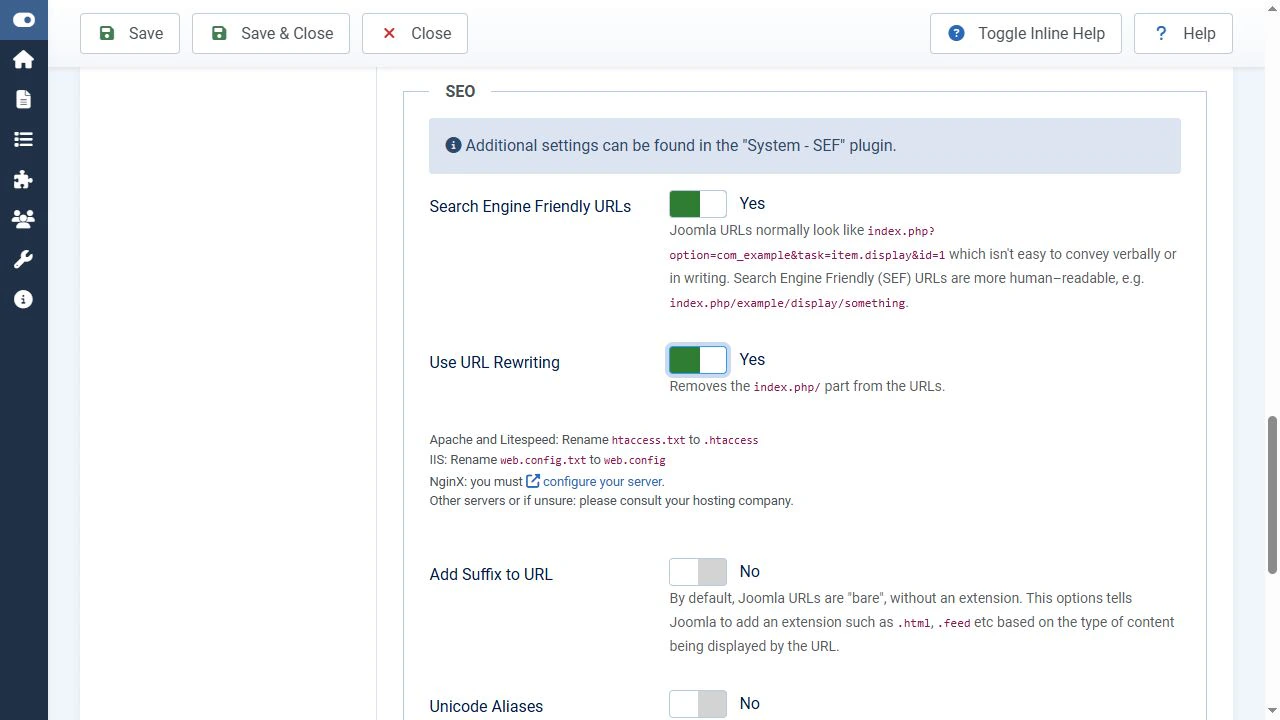
After preparing the server, go to System → Global Configuration → Site → SEO. Labels may differ slightly between versions and translations.
- Set Search Engine Friendly URLs to Yes and save.
- Open an internal page through the site menu and check that it works.
- Set Use URL Rewriting to Yes and save again.
- Refresh the frontend page and follow the menu link again.
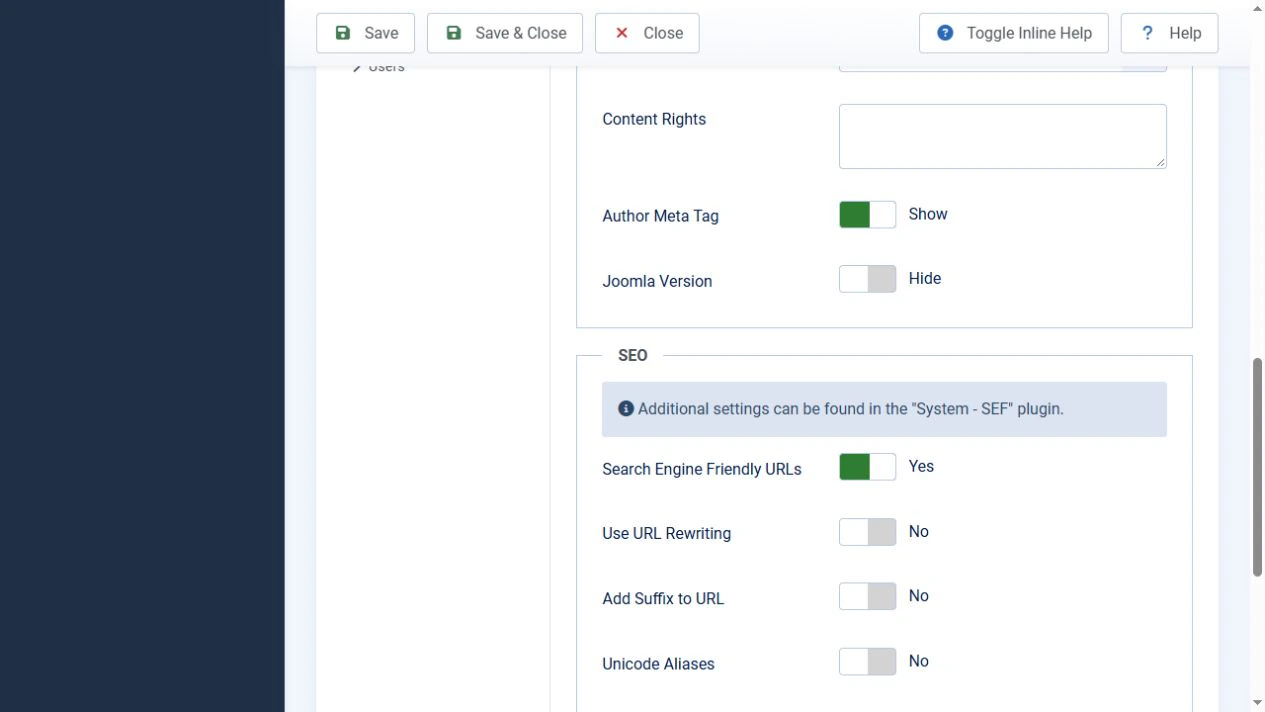
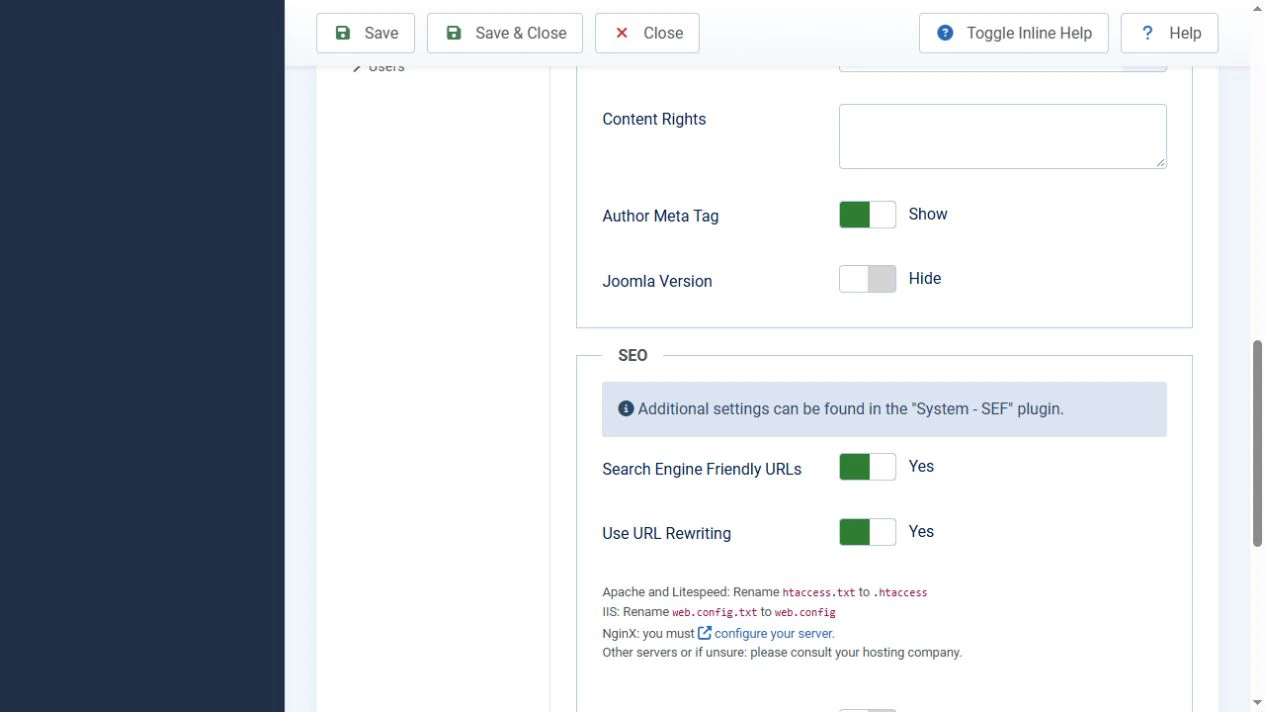
The link should open an address without index.php. An existing browser tab showing an old address does not, by itself, show which links Joomla generates after the change.
Do not change other SEO options at the same time. Keeping the changes separate makes errors easier to diagnose.
Example from a local test site
On a Joomla 6.1.3 test site running Apache in OpenServer, enabling SEF with rewriting disabled produced https://joomla.local/index.php/ru/spravka.
After enabling Use URL Rewriting, the menu link opened https://joomla.local/ru/spravka. The page content remained the same.
The English page showed the same behaviour: https://joomla.local/index.php/en/article-en-gb changed to https://joomla.local/en/article-en-gb.
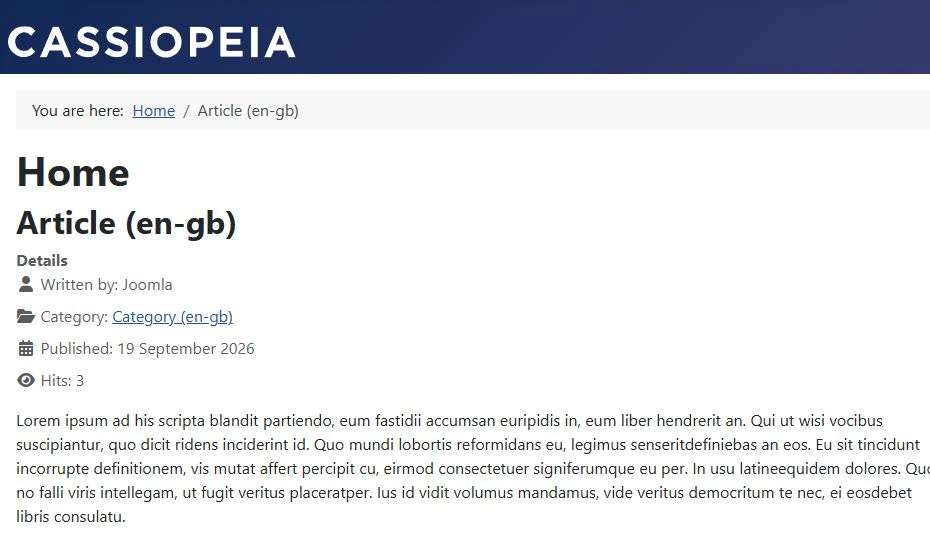
This site already had the Apache rules in .htaccess, so the test only required changing the Joomla option. On another server, prepare its configuration first.
If Joomla is installed in a subdirectory
For an installation at https://example.com/portal/, the new address must retain the /portal/ prefix: https://example.com/portal/contacts.
On Apache, place .htaccess in the Joomla installation directory. RewriteBase is not required in every configuration. If your setup needs an explicit base path, this example uses:
RewriteBase /portal/This is a URL path, not a filesystem path. Also account for .htaccess rules in parent directories.
On Nginx, for an ordinary subdirectory within the document root, the relevant fragment may look like this:
location /portal/ {
    try_files $uri $uri/ /portal/index.php?$args;
}
Adapt it to root, the PHP handler and other location blocks. Do not copy this example unchanged into a configuration using alias.
On IIS, check the application path, inherited rules and rewrite destination. Requests must reach the index.php belonging to the correct installation.
Troubleshooting
After changing the settings, check both the address and the page content. The error code helps narrow down the cause.
Internal pages return 404
If the home page works but internal pages do not, check whether the rewrite rules are being applied.
On Apache, check the name and location of .htaccess, mod_rewrite and AllowOverride permissions. On Nginx, check the selected virtual host, the location block and the handler path. On IIS, check URL Rewrite and the scope of web.config.
If only one page fails, check the article itself, its publication status, access level and menu item. Not every 404 is caused by the server.
A 500 error appears after the change
Read the server error log for the time of the request. Possible causes include a disallowed directive, a syntax error, conflicting rules or a rewrite loop.
On Apache, an Options directive that the host does not allow you to change may be responsible. Do not remove configuration blocks at random; correct the line identified by the log.
On IIS, 500.19 indicates a configuration-reading problem. Use the detailed code and error description to identify the cause.
To recover, restore the modified file from your backup. If the server configuration is valid but the new addresses do not work, temporarily disable URL rewriting in Joomla.
Links still contain index.php
Check the saved values of both SEO options. Clear the cache relevant to the page and follow the link again.
If only some links are affected, inspect their source. A link may be hard-coded in an article, module, template or extension.
A system link such as index.php?option=com_content&view=article&id=123 in the editor is not automatically an error. Joomla and the System - SEF plugin can convert it during output. Check the resulting link on the frontend. In HTML, the ampersands in that link are written as &.
Check new and old links
Open articles, categories and nested menu items. Check images, styles, search, forms, pagination and language switching where these features are used.
Then open your saved old addresses containing index.php and system parameters. Confirm that they lead to the corresponding pages, retain the required parameters and do not create redirect chains or loops.
Enabling rewriting does not guarantee permanent redirects for every old URL. If both old and new addresses remain accessible, configure and verify the redirect to your chosen primary address separately. A 301 status is commonly used for a permanent redirect.
Do not apply a blanket rule removing index.php from every request without testing: it may affect the administrator interface, forms and service requests.
Update hard-coded internal links and the sitemap. A page that does not exist should still return 404 rather than redirect to the home page.
The expected result
Joomla URLs without index.php require the CMS and web server to work together. Prepare the Apache, Nginx or IIS rules first, then enable SEF and URL rewriting. Finish by checking internal pages and old links.