

Table of contents
Attackers are actively targeting Joomla sites using this vulnerability. Immediately update SP Page Builder to version 6.6.2 and check your administrator user list for suspicious accounts.
Attack Mechanism: Why Is This Dangerous?
A critical zero-day vulnerability has been discovered in the popular page builder SP Page Builder (developed by JoomShaper), which is already being exploited by attackers to compromise websites.
The core issue: the vulnerability allows an unauthenticated user (even without logging into the site) to upload a PHP script (web shell) through one of the component's endpoints and execute it on the server. This gives the attacker full control over the site: data theft, page defacement, backdoor installation, and using the server to attack other sites.
Which Versions Are Affected?
The vulnerability affects all versions of SP Page Builder up to and including 6.6.1. The fix is included in version 6.6.2.
How Does the Attack Actually Work?
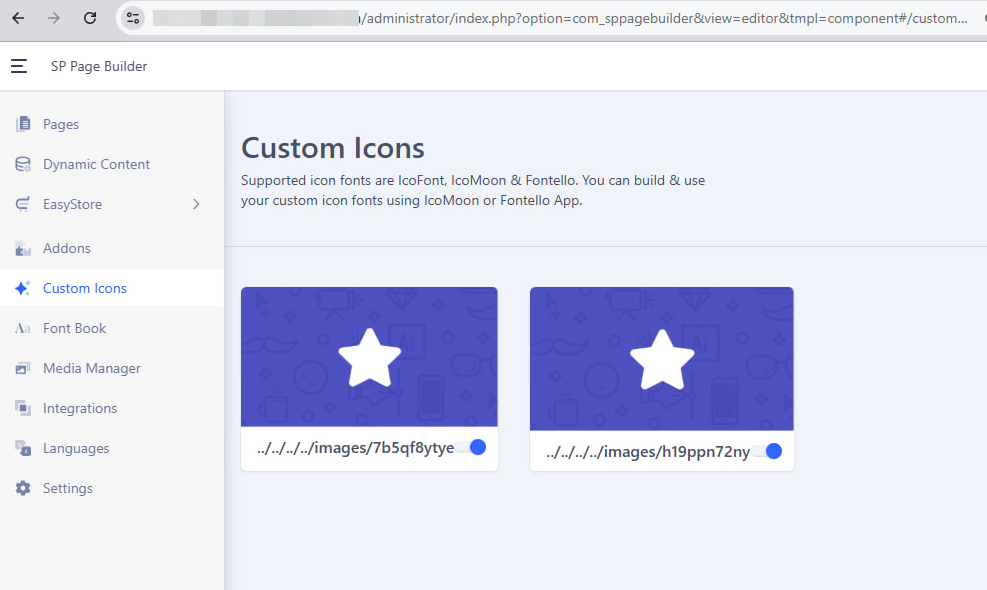
Attackers target the asset.uploadCustomIcon task in the SP Page Builder controller, which is designed for uploading custom icons. The problem is that this endpoint:
- Does not check user authorization — anyone can send a request.
- Does not check the uploaded file type — allowing files with a .php extension to be uploaded to the server.
The uploaded PHP file becomes accessible via a web address, and the attacker can execute arbitrary PHP code on the server by navigating to it.
What Does the Attacker Leave Behind?
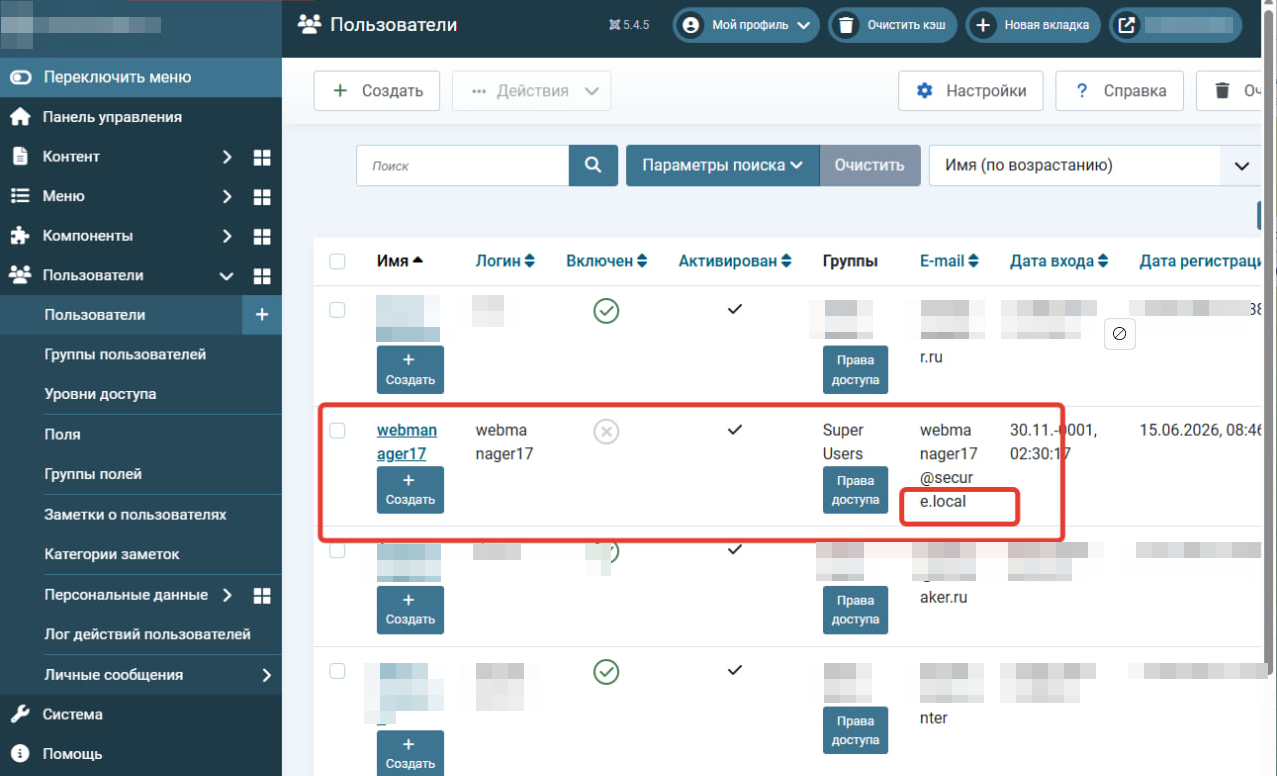
Hidden Super Administrator accounts — accounts with Super User privileges are created, which look harmless ("Web Editor", "Admin Backup", "Site Helper"), but have a characteristic email address ending in @secure.local. Usernames may vary (webeditor48, sitehelper7, adminbk, etc.), but the @secure.local email domain is a sure sign of compromise through this vulnerability.
Backdoor (PHP file manager) — hidden copies of PHP files with full file manager and PHP console functionality are placed on the server. They can be found in various locations, for example:
- images/<random_folder>/fonts/
- media/com_admin/
- media/regularlabs/
- Files may be named users.php or have other names.
These copies are created so that even after one is deleted, the attacker retains access.
How to Fix and Protect Your Site?
Update SP Page Builder to version 6.6.2. You can do this through the Joomla administrator panel (standard extension update) or by downloading the 6.6.2 package from the developer's website and installing it over the old version.
Check the administrator user list for suspicious accounts, especially those with email addresses ending in @secure.local. Delete them immediately.
Conduct a file audit on the server. Find and delete suspicious PHP files, especially those containing references to "PHP File manager", in the directories listed above and other non-standard locations.
Change passwords for all Joomla, FTP/SSH accounts and the database on the compromised site.
Perform a full security scan of the site using specialized scanners to ensure there are no other hidden threats on the site.
Why Is This Important?
This vulnerability is being actively exploited in the wild. Attackers are automating their attacks, and as soon as technical details become public (which has already happened), the number of attacks increases dramatically. If you don't update now, your site will be hacked. Simply installing WAF rules that protect against the recent JCE attack may not work, as this is a different attack vector.
Stay vigilant and update your sites right now!